Flink Series, Part 5: Performance & Production
Making Flink production-ready — diagnosing backpressure, tuning parallelism, sizing network buffers, and monitoring with metrics.
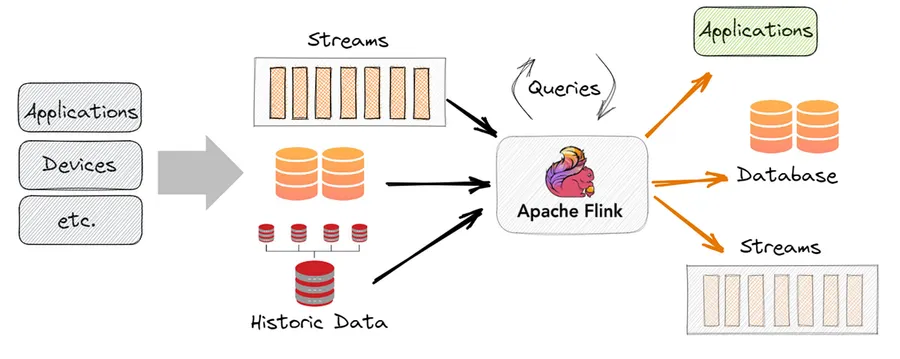
Moving to Production
A Flink job that works on a laptop in local mode is a long way from a Flink job that handles 10 million events per second reliably in production. This final part covers the operational concerns that matter once your job is actually running: backpressure, parallelism, network tuning, and observability.
Backpressure
Backpressure occurs when a downstream operator cannot keep up with the rate of incoming data. In Flink, backpressure propagates upstream through the network buffer mechanism — if a downstream task’s input buffer is full, the upstream task blocks until space is available.
Backpressure is not inherently bad. It is the system telling you something is slow. The question is: which operator is the bottleneck?
Diagnosing Backpressure
The Flink Web UI shows backpressure status per operator. Navigate to your job → select a subtask → click “Backpressure”:
- OK (green): the operator is keeping up
- LOW (yellow): occasional backpressure
- HIGH (red): sustained backpressure — this operator is your bottleneck
The backpressured operator is typically the one just downstream of the slowest one. If operator B shows HIGH backpressure, look at operator C (downstream) for the actual bottleneck — it cannot consume fast enough, so B’s output buffers fill up.
Common Causes and Fixes
Slow user-defined function (UDF): a map or process that calls an external service synchronously.
# Bad: synchronous HTTP call in hot path
def process_element(self, value, ctx, out):
    result = requests.get(f"http://api/{value['id']}")  # blocks!
    out.collect(result.json())

# Better: use Flink's async I/O
Use Flink’s AsyncDataStream for non-blocking external calls:
from pyflink.datastream import AsyncDataStream

async_stream = AsyncDataStream.unordered_wait(
    stream, AsyncEnrichmentFunction(), timeout=1000, capacity=100
)
Slow sink: writing to a slow downstream (e.g., a database with high write latency). Solutions: increase sink parallelism, batch writes, or buffer more aggressively.
Data skew: one key has vastly more events than others, overloading a single parallel instance. Check your key distribution — a keyBy(country) where 80% of events are "US" will create a hot spot.
Parallelism Tuning
Parallelism is the number of parallel instances of each operator. More parallelism = more throughput, but also more overhead.
Setting Parallelism
# Global default
env.set_parallelism(8)

# Per operator (overrides global)
stream \
    .map(parse).set_parallelism(8) \
    .key_by(lambda e: e["region"]) \
    .reduce(SumReducer()).set_parallelism(16)  # more for aggregation
Slots and TaskManagers
Each TaskManager has a fixed number of slots. A slot is the unit of resource — one task runs in one slot.
For a job with parallelism 8 and 4 TaskManagers with 2 slots each, every slot on every TaskManager gets one task instance. If you increase parallelism to 16, you need 16 slots total — either more TaskManagers or more slots per TaskManager.
parallelism = num_task_managers × slots_per_task_managerA good starting point: set parallelism equal to the number of Kafka partitions on your source topic. This ensures one-to-one mapping between Kafka consumers and Flink tasks.
Rescaling
To change parallelism of a running job, take a savepoint and restart with a new parallelism:
flink savepoint <job-id>
flink cancel <job-id>
flink run -s <savepoint-path> -p 16 my-job.jar
Flink redistributes state across the new task instances automatically.
Network Buffer Sizing
Flink exchanges data between tasks through network buffers — regions of off-heap memory used for in-flight records. Incorrect buffer sizing is a common cause of poor throughput.
# flink-conf.yaml
taskmanager.memory.network.fraction: 0.1
taskmanager.memory.network.min: 64mb
taskmanager.memory.network.max: 1gb
More network memory = larger buffers = higher throughput, but leaves less memory for state and JVM heap. For high-throughput jobs (hundreds of MB/s per task), increase network.fraction to 0.15–0.2.
Buffer timeout controls the maximum time a buffer can wait before being flushed downstream:
env.set_buffer_timeout(100) # ms; default is 100msLower values reduce latency but increase CPU overhead from more frequent flushes. For latency-sensitive jobs, try 0ms (flush immediately). For throughput-sensitive jobs, 100–200ms is fine.
Monitoring with Flink Metrics
Flink exposes a rich metrics system covering throughput, latency, checkpointing, garbage collection, and more. The most important metrics in production:
Throughput:
numRecordsInPerSecond— records entering an operator per secondnumRecordsOutPerSecond— records leaving an operator per second
Checkpoint health:
lastCheckpointDuration— how long the last checkpoint took (alert if > 60s)numberOfFailedCheckpoints— should be 0
Latency:
latency— end-to-end latency from source to sink (requires latency tracking enabled)
GC:
Status.JVM.GarbageCollector.*.Time— time spent in GC (alert if > 10% of wall time)
Exporting to Prometheus
# flink-conf.yaml
metrics.reporter.prom.class: org.apache.flink.metrics.prometheus.PrometheusReporter
metrics.reporter.prom.port: 9249
Then configure Prometheus to scrape host:9249 and build Grafana dashboards. Flink’s community-maintained Grafana dashboard is a good starting point.
Production Checklist
Before sending a Flink job to production:
- Checkpointing enabled, interval ≤ 5 minutes, stored in durable remote storage
- RocksDB state backend configured for jobs with non-trivial state
- State TTL configured to bound state size
- Parallelism set to match source partition count
- Backpressure baseline established at expected load
- Metrics exported to Prometheus/Grafana
- Alerts on checkpoint failures and sustained backpressure
- Restart strategy configured (e.g.,
fixed-delaywith 3 retries) - Savepoint procedure documented and tested
Key Takeaways
- Backpressure signals a bottleneck — use the Web UI to find the slow operator, then fix the root cause (slow UDF, skewed keys, slow sink)
- Set parallelism equal to source Kafka partitions as a starting point; use savepoints to rescale
- Tune network buffer size for high-throughput jobs; lower buffer timeout for low-latency jobs
- Export Flink metrics to Prometheus and alert on checkpoint failures and GC overhead
- Follow the production checklist before going live
That wraps the Flink Series. You now have the foundation to build, tune, and operate production Flink jobs: from reading streams with the DataStream API, through temporal reasoning with windows and watermarks, to managing state, guaranteeing exactly-once delivery, and keeping it all running efficiently in production.